
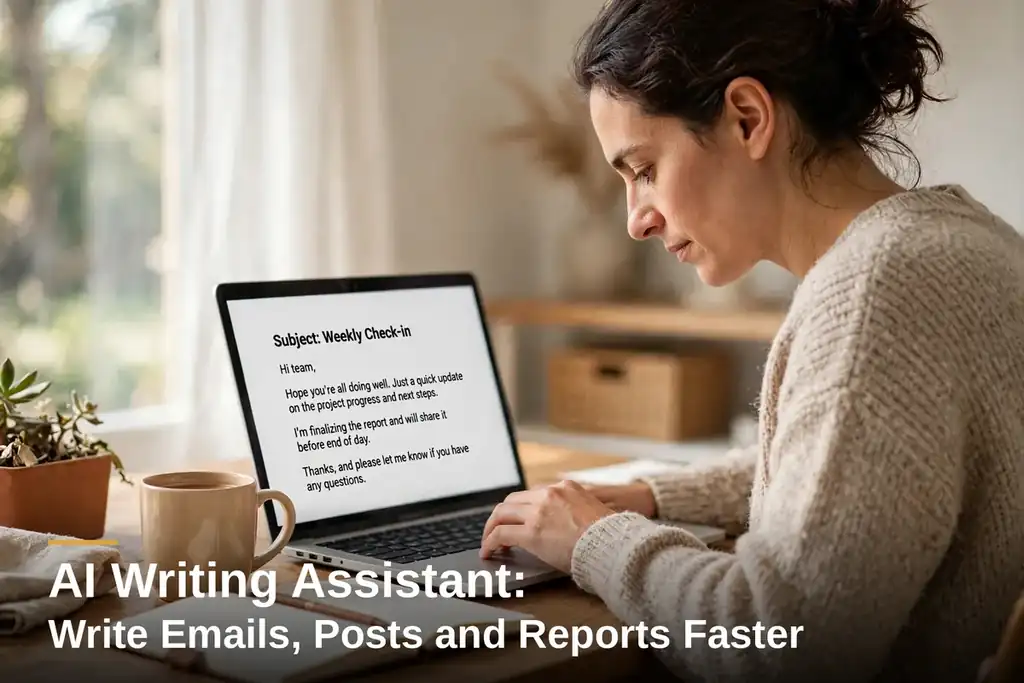
Most working days have a moment like this. You open a blank email. The words are already in your head. And the first sentence still eats ten minutes.
That is the moment this post is about.
That blank screen, that stuck feeling, is exactly what an AI writing assistant is for. You hand it a few plain lines. It hands back a draft you can edit. Nothing more mysterious than that.
Your thoughts stay yours. An AI writing assistant takes the first version off your plate. The shape. The grammar. The tone. The facts stay your job. The final call stays yours. Keep that split and the tool stays useful. It stays a tool. It never becomes the decision maker.
Three jobs show it best. Emails. Posts. Reports. And the limits deserve equal attention. Skip them and something goes out that you would not stand behind.
The tool, without the sales talk
Forget the ads for a moment. Past the ads, there is software that works in words. Some of it lives where you already write. Inside your email. Inside your documents.
Some of it shows up as a chat window. Hear AI chat assistant and most people picture that chat window. Say what you need. That is all. Plain words. Zero jargon. It answers with a draft.
And then there is the browser extension kind. The one that follows you around from site to site. Offering a hand wherever you happen to be typing.
Each one does a different job. That is the first mistake people make. Picking one and expecting it to do everything.
Grammarly? The boring one. Boring, here, is a plus. It follows your typing, cleaning grammar, spelling, tone along the way. Its tone detector notices when a message sounds accusing, though you meant nothing bad.
Jasper and tools like it go the other way. They write longer drafts from a short brief. Templates for posts. For ads. For pages.
QuillBot plays a different game: existing text in, trimmed or clearer text out. Standard mode. Fluency mode. The difference is how much it rearranges your sentences.
A chat-based AI writing assistant, ChatGPT being the obvious example, takes a request and produces a full first draft. Different tools. Same deal. You start from something instead of staring at nothing.
None of it replaces your judgment. A draft is a draft. Names. Numbers. Dates. Promises. All of it needs your eyes on it before it goes anywhere. What you save is the blank page. Not the check. Never the check.
Emails: from a blank screen to sent in minutes
Email is where the drag hits first. Email never stops. Twenty replies in a normal day. Every one of them wants the same four moves. Greet. Answer. Ask. Close.
The tool cuts that down to two quick steps. Raw points in. Clean reply out.
Take the late delivery email. Nobody looks forward to it. The customer? Already annoyed. And the news is all bad. A new date and a heartfelt apology, that is your lot.
You type something rough. Order three days late. Sorry. New date Friday. Ten percent off the next purchase, to make amends. The reply lands polite with all four points in place. One read is enough. Date wrong? Fix it. Send it. Two minutes. The same email used to eat ten.
Follow-up emails are no different. You write a rough line. Remind them about the invoice. Overdue since last week, mind you. Friendly tone, that is the brief. Out pops a short note saying exactly that, without the stiffness.
Cold emails are harder. Here is where the disappointment usually lives. Nine times out of ten, the brief is the problem. Not the tool. A cold email needs three things from you first. Who the person is. What you offer. What you want them to do next. Leave those out and the draft comes back generic. The tool has nothing to work with except the shape of a cold email. And the shape is the same for everyone. A generic cold email gets ignored. Every time. No exceptions.
One habit makes email drafts sound like you. It almost feels too simple to count as advice. Drop your own last line into the draft. Your sign-off, your way of addressing customers by name: those lines stay untouched. Middle part? That is the AI writing assistant‘s job. Start and end lines are yours. They carry the whole message. Take them away and the message sounds like a template, not a person.
Posts: short text that still sounds like you
Short posts are a different animal. One chance to land. Very little space. What it gives you here is options, and it gives them fast. One rough idea in. Three or four versions out. One short. One plain. One that ends by asking something. The one that sounds like you wins. Fix the rest by hand. That last part is not optional. It is the part most people skip.
A weekend sale shows it. Facts first. The facts are simple. 20 percent off shoes. Saturday and Sunday only. Ten a.m. is when doors open. Hand it those facts and the AI writing assistant makes a post, a caption, and a shorter status version. You are still the one choosing the words your customers know as yours. What it saves you is the half hour of staring at the screen. That is where most posts die anyway.
The risk is sameness. Worth naming plainly. Every tool here trained on the same mountain of text. No wonder their first drafts lean on the same phrases. The same rhythms. The same safe choices. Accept the first version every time and your posts start sounding like everyone else’s posts. Because they are, more or less.
The fix is small. And it is yours to make. Change one line yourself. Add the detail only you know. The sale covers the new stock by the door. One line. That is all it takes to separate your post from anyone’s post.
Reports: turning rough notes into a clean document
Reports are where an AI writing assistant earns its keep. At least for people who write them every week. A weekly report almost never starts clean. It starts as a mess. Notes in a phone. Numbers in a sheet. Half a sentence buried in an email.
Paste the notes in. List the points that must be in it. Clearly. The tool knocks together a first version: headings, short sections. That part used to take the longest. Now it takes the least. First few times? Feels weird.
Say it is Friday. You run a small team. The weekly update is due. Notes say five orders shipped. Two delayed. One supplier late. Restock next week. Back comes a short report, your points sitting under clear headings. Numbers? Check them twice, if the report matters. Add the one reason for the delay that only you know. Done. Not almost done. Done.
Longer reports need breaking up. That is how errors stay visible. Start with the summary. Check it. Then the next section. Ask for the whole thing in one go and you get a long draft with a lot more to check. Which defeats the point entirely. Short sections keep the errors small. Small errors? Easy to catch. Big ones hide.
Numbers get a second look. Every time. No exceptions. And I mean that. Numbers are where these tools fail most quietly. An AI writing assistant can copy a number wrong. Mix up two weeks. Or dream up a total that looks completely right until you check it against your own sheet. Every figure goes up against your own numbers before that report leaves your desk. That one check is the line between a fast report and a wrong one. Cross that line and trouble follows.
Where it shines and where it stops short
So where does it actually help? First drafts. Short replies. Rewrites. Summaries. That range is where it works best. Shape and speed. That is what an AI writing assistant is good at. Facts. Judgment. Anything only you know. That is where it breaks. It can produce a perfectly smooth paragraph about a product unknown to it. Every single line still needs a second look. Smooth writing proves nothing about truth. Reads too smoothly? Be suspicious.
Privacy is the second limit. People skip past it too fast. Usually because the box where you paste text feels private. Most tools ship your text off to their servers to work on it. For a sale announcement, who cares. For a contract. For prices you have not announced. For anything with customer details in it. That is a different story. Sensitive text? Write it yourself. Or at least use a tool whose privacy terms you have actually read. Not skimmed. Read.
Tone is the third limit. And it is the sneakiest of the three. An AI writing assistant can dress text up as polite. It has no sense for when polite is the wrong move. An angry customer needs more than polite words in a sorry note. One honest line about what actually went wrong. That is what it needs. Write that line yourself. Then let the tool shape the rest around it. The honest line is the email. Everything else is wrapping.
How to get good output from it
Good output comes from good input. That sounds obvious. And it is. But most bad drafts start with a bad request. Usually one that is missing the facts and full of adjectives.
Give it the facts first. Names. Dates. Prices. The one action you want. All of that goes in your request, not in the draft. Skip the facts in your request and an AI writing assistant fills the gaps on its own. Trouble starts right there. Plausible-sounding stuff fills the gaps, not facts.
Then say who will read it. Customer note, team note: different worlds. Same person? You would never guess it from the sound. Tell it who is reading and an AI writing assistant chooses better words. And it picks worse ones when it has to guess.
Short version first. Always. Then expand. A short draft? Much easier to look over than a long one. Long drafts bury mistakes in the middle. Right where your attention is thinnest. Want more detail? One more ask. Right where you need it.
Keep your final read. Once for facts. Once for tone. Before you send or publish anything. Every time. And when a draft sounds off, say so in plain words and ask again. Shorter. Less formal. Beats writing a whole new brief, does it not? Two quick rounds, one long one: the quick rounds win almost every time.
Picking one: free or paid
Start free. I would. And I would give anyone the same advice. Free AI writing assistant? Grammar and short rewrites, handled. A free tier lets you test if the tool fits your work, free of charge. Phone app AI assistant: quick replies and captions, covered. Paid plans add longer drafts. More templates. Team features. None of that matters if the free version already feels off in your hands.
Try at least two before you pay for anything. Check four things. Does it work where you write. Does it keep your tone. Does it handle your language. And what happens to your text under its privacy terms. Stuck in one app, an AI writing assistant slows you down eventually. Iron out your tone and an AI writing assistant takes your customers’ familiar voice with it. Your best tool is the one in your hand every day.
And one more thing. An AI powered writing assistant is not one single product. Some tools correct. Some draft. Some rewrite. Mostly fixing your own writing? A checker is enough. Paying for a drafting engine would be wasted money. Mostly facing blank pages? A drafting tool helps more. Fit the tool to the job you do most. Not to the longest feature list.
Start with one email
Never used one? Start tiny. Day one is not for rebuilding your whole workflow. Take the next email you keep avoiding. Hand the AI writing assistant your raw points. Edit the draft it gives back. One email will teach you more than a week of reading about the tool. Because reading about a tool teaches you what it claims. And using it tells you what it actually does.
An AI writing assistant will not run your business for you. It gets the first version done. It fixes the rough edges. It hands you time back for the work only you can do. The final words stay yours. As it should be.
Frequently Asked Questions
What is meant by an AI writing assistant?
A shortcut for getting words out faster. You hand it your points in plain words. Draft, tidied grammar, trimmed text: that is what it turns them into. Facts? You check them. You send the final version. That split never changes. One unchecked day and a wrong number ships with your name on it.
How can an AI writing assistant help with emails?
It drafts them. But never send a draft without reading it first. That rule matters most. Facts in, AI writing assistant shapes the reply, then you go over names, dates, promises. What it saves you? The part people dread most. Starting.
Are free versions of AI writing assistants available?
Yes. Free tier? Most tools have one. Grammar checks, short rewrites: handled. Start with a free AI assistant. Simple. Does it earn a place in your daily work? Find out. Wallet stays shut until longer drafts, more templates, or team tools become necessary. No pressure.
Does an AI writing assistant sound like me?
Only if you keep involved. Left alone, it follows patterns. Your voice? It has never heard it. Your opening and closing lines: hold on to them. Every draft gets a line or two rewritten by you. That is how it stays yours, not a template’s.
Is building a report from rough notes possible with an AI writing assistant?
Yes. This is one of its best uses. And it is not close. Paste your notes in. Say which points must appear. Section by section. Then match every number to your own sheet before the report goes out. That check? Non-negotiable. Skip it. It catches up with you later.
Is my text kept private when I use an AI writing assistant?
Most tools ship your text off to their servers to work on it. So it depends on what you paste. A sale post, fine. Contracts. Unannounced prices. Customer details. Leave those out of tools with unread privacy terms. Read terms, then decide.
Do AI writing assistants ever get things wrong?
Yes. It mixes up numbers. It invents totals. It produces smooth sentences on topics it never studied. Every draft is guilty until you have read it yourself. The check is quick. Also the bit you cannot skip. Ever.
Which AI writing assistant should I start with?
Job you do most? Start there. That rule is simple. And it works. Mostly fixing your own writing? A grammar checker is enough. Mostly facing blank pages? A drafting tool helps more. Works where you already write? That is the one. A week. Then judge it.





Leave a Reply